"I want to introduce digital signage to our store or office, but I don't know how much it costs, so I can't get the proposal approved..." "I want to understand not just the initial costs, but the monthly running costs as well." Many people considering the introduction of digital signage face these kinds of concerns. The total cost of digital signage is determined by a combination of multiple elements, not just the "equipment cost" of hardware like displays and STBs (Set-Top Boxes/Media Players), but also "license fees (monthly)" to use the system and "content production costs." In this article, we will clearly explain the breakdown of initial and monthly costs for digital signage installation and its market price.
First of all, due to the influence of recent global conditions, digital signage price trends are tending to rise and fluctuate. In recent years, the price of equipment such as commercial displays and STBs that make up digital signage has been prone to rise and fluctuation, against the background of the depreciation of the yen, as well as rising costs for raw materials, including semiconductors and components, and rising labor and logistics costs. In fact, according to the Bank of Japan's domestic corporate goods price index, information and communication equipment and electronic components are on an upward trend compared to a few years ago, and moves toward price increases are spreading among PC and peripheral manufacturers. Therefore, the amounts introduced in this article are only general guidelines, and actual costs will vary depending on the time, exchange rates, and specifications. When considering implementation, we recommend that you always obtain the latest estimates before comparing and making decisions.
That said, if you understand what elements make up the cost, it is entirely possible to correctly interpret the contents of a quote and consider cost optimization. First, let's look at the overall picture of costs.
The costs for implementing and operating digital signage are broadly classified into three categories: "① Equipment and System Costs," "② Content Production Costs," and "③ Operation and Maintenance Costs." It is important to grasp this overall picture before obtaining estimates.
No. 1
Equipment and System Costs (Hardware and Software)
In addition to "hardware" such as displays (monitors) to show the signage, STBs to receive and play videos, and stands or wall-mounting brackets to install them, costs include "software" such as CMS (distribution management system) for content distribution and management. For cloud types, this software cost generally occurs as a monthly system usage fee.
No. 2
Content Production Costs
These are the costs for producing videos and still images (poster images, etc.) to be displayed on the screen. If you produce them in-house, there are only internal costs (personnel and tool costs), but if you request them from an external production company to ensure quality, the price varies greatly depending on the length of the video, whether or not filming is required, and the use of CG.
No. 3
Operations and maintenance costs
These are the ongoing running costs incurred after introducing signage. They include the monthly system usage fee, network communication costs (Wi-Fi or LTE), and support and maintenance costs in the event of equipment failure.
Attention here!
Difference in cost structure by distribution method
The digital signage cost structure also varies significantly depending on the distribution method adopted.
Cloud-Based Type
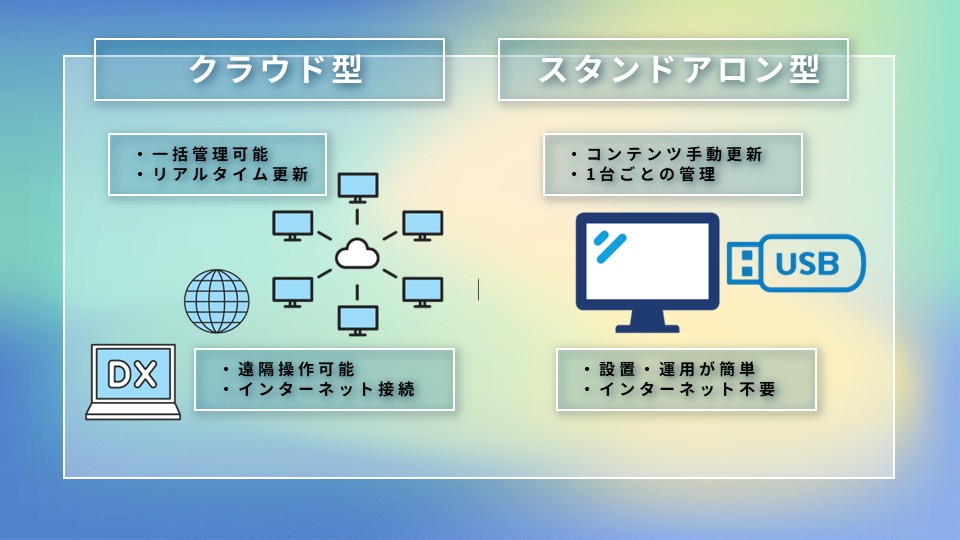
A method of distributing and managing content remotely via a network. While it is easier to keep initial costs down because you can spread the installation costs over a monthly basis, subscription models that incur monthly usage fees are mainstream.
Offline (standalone) type
A method of playing by inserting a USB flash drive or SD card directly into the device. Because it plays independently (standalone) without connecting to a network, there is no monthly system fee, but manual labor on-site (labor costs and travel expenses) is incurred every time an update is performed.
2. Breakdown of Costs and How to Consider Market Prices
Here, we explain the breakdown of specific costs incurred when implementing digital signage and how to think about the price trends.
* The amounts listed are general market estimates. Actual costs vary depending on requirements.
No. 1
Breakdown of initial costs and market prices
The majority of initial costs are hardware costs, mainly for displays and STBs, and installation work costs.
Display costs
The price varies significantly depending on size, brightness, and whether it is for indoor or outdoor use. For professional indoor displays, the standard is about 100,000 to 400,000 yen for a typical 43–55 inch unit (you can keep costs down to the tens of thousands of yen if you use a commercial LCD TV or PC monitor). On the other hand, outdoor high-brightness models and large LED visions can cost from several hundred thousand to several million yen.
STB costs
These include small PCs or Android devices dedicated to signage. Simple media player types can start from around 10,000 JPY, while high-performance models equipped with distribution management, scheduling functions, 4K support, and environmental resistance can cost over 100,000 JPY, with a general range of 10,000 to 100,000 JPY per unit. Prices vary widely depending on the functions and supported resolution.
Installation construction and initial setup fees
This is the cost for installing wall-mounting brackets, wiring work, and initial system kitting. If using a floor stand, there is basically no construction cost and it is cheap, but for wall or ceiling suspension, it varies greatly depending on the installation method, ranging from 20,000 to 100,000 yen, or over 100,000 yen if foundation work or reinforcement is required, such as erecting poles outdoors.
No. 2
Breakdown and market prices of monthly costs (running costs)
If you adopt the cloud type, monthly running costs will be incurred.
System Usage Fees (CMS License/Cloud Distribution Fees)
This is the system usage fee for setting schedules and managing distribution of content. The market price is about 4,000 to 10,000 yen per month per unit. It varies depending on the richness of functions and the number of units managed.
Communication Fees
If installed in a location without a Wi-Fi environment, communication fees for contracting a SIM router, etc., will be incurred, costing around several thousand yen per month. If the volume of content distributed is large or the update frequency is high, it may be higher than this.
Maintenance Support Fees
These are optional fees for telephone support in case of trouble, as well as equipment send-back or on-site support. Basic service centered on telephone support is around 1,000 to 5,000 JPY per month, but if you include extensive support such as on-site response, it may be 5,000 JPY or more per month.
No. 3
Content production and operational update costs
Still Image Slideshow
If existing poster data is reused, costs can be kept low (from several thousand yen).
Video Production
Prices range from several tens of thousands to hundreds of thousands of yen or more, from simple templates to full-scale promotional videos. Costs vary greatly depending on video length, whether or not filming is required, and the use of CG or narration.
Operational agency fees
This is the cost for outsourcing schedule settings or content replacement work. There is a range depending on the scope of outsourcing and update frequency; it ranges from several thousand to several tens of thousands of yen per content replacement, and in cases of high update frequency, it may be a monthly package contract. If you use CMS (cloud management system) to update it yourself, this cost can be suppressed.
3. Cost Comparison: Cloud-based vs. Offline (Standalone) Types
A common topic of discussion when seeking internal approval is whether to choose a "cloud-based type with monthly fees" or an "offline (standalone) type with no monthly fees." At first glance, the offline (standalone) type looks cheaper, but depending on the "number of units, number of locations, and content update frequency," the cloud-based type is often more advantageous in terms of total medium- to long-term costs, including the effort and personnel expenses required for updates.
Focus on monthly costs
Cases where the offline (standalone) type is suitable
●Small-scale introduction (single store, a few units) ●Very infrequent content updates (e.g., once every few months) ●Staff are always at the store, so manually swapping out USBs is not a burden
In this case, an offline (standalone) type that does not incur communication or system usage fees demonstrates cost benefits.
Focus on operational efficiency and total cost
Cases where the cloud-based type is suitable
●Expanding to multiple stores and installing signage at multiple locations ●Want to frequently update campaign or menu information on a weekly or daily basis ●Want headquarters staff to perform distribution management for all stores collectively
The greatest strength of the cloud-based type is "remote management" and "simultaneous distribution to multiple locations."
If you try to update content for 50 stores nationwide using the offline (standalone) type, it will take time, labor costs, and mailing costs for headquarters to mail USB flash drives to each store and ask each store manager to perform the work. It also carries the risk of missed updates or incorrect distribution. On the other hand, with the cloud type, you can switch displays at stores nationwide in an instant with a single click from the headquarters PC. When you sum up the "labor, mailing, and management costs associated with update work" that are not always visible, for multi-store operations or environments with high update frequency, paying the cloud-type monthly fee results in significant cost reduction and operational efficiency.
We have organized 5 points that significantly affect the amount when estimating digital signage implementation and prices. Please use this when clarifying your company's requirements.
Number of units and locations
Naturally, equipment costs will rise as the number of units increases. However, some cloud-based system services offer plans such as "fixed monthly fee for up to X units per store," which may allow you to take advantage of economies of scale.
If you want to "install it by a window" or "place it outdoors," you will need a "high-brightness monitor" that can withstand direct sunlight and a waterproof/dustproof design, causing the price to soar compared to standard indoor use. Also, the degree of resolution required, such as 4K support, also affects the price.
Content update frequency and operational structure
"Who" updates it, and "how often?" If you can operate the cloud CMS in-house, the cost is just the monthly system usage fee, but if you outsource all operations, monthly operational agency fees will be incurred.
Maintenance and support coverage
When equipment fails, monthly or annual maintenance costs vary greatly depending on whether "a replacement unit is sent and you exchange it yourself (send-back maintenance)" or "a technician comes to the site to perform the exchange work (on-site maintenance)."
Presence of a Network Environment
If there is no wired LAN or Wi-Fi at the installation location, you will need to provide an LTE-compatible router or an STB with a built-in SIM, and monthly communication line costs will be added.
5. Tips for keeping installation costs down and utilizing subsidies
We will introduce tips for optimizing initial and operational costs to lower the hurdles for implementation.
Cost Optimization through Cloud Utilization and Existing Monitor Reuse You do not necessarily need to purchase "expensive, dedicated displays for digital signage." If indoors, you can run a proper digital signage system by simply attaching a small STB to a readily available, inexpensive LCD TV or PC monitor. Also, you can suppress initial investment risks by starting small with a few stores or units and expanding to the cloud in stages while verifying the effects.
Utilizing Subsidies and Grants (Digitalization & AI Adoption Subsidy, etc.) You may be able to use subsidies and grants provided by national or local governments for the implementation of digital signage. A typical example is the "Digitalization & AI Adoption Subsidy" (formerly: IT Introduction Subsidy) promoted by the Ministry of Economy, Trade and Industry. In some cases, software license fees and implementation-related costs for cloud-based signage (including the monitor itself, depending on the conditions) may be eligible for subsidies, and if the conditions are met, there is a possibility that 1/2 to a fraction of the implementation cost will be subsidized.
Additionally, you may also be eligible for "subsidies for improving store appeal/expanding sales channels" and "grants for operational efficiency/DX promotion" implemented by various local governments.
* Subsidy system details, eligibility requirements, and application periods vary significantly by fiscal year. We recommend that you check the official pages of each ministry or local government, or consult with your signage vendor in advance for the latest information.
6. Three introduction examples of BEEATS (Clomoni)
The cloud-based digital signage "Clomoni" provided by BEEATS CO.,LTD. is introduced by a wide range of companies, from multi-store retail shops to offices, due to its reasonable pricing and intuitive operability. Here, we introduce three cases from actual adoption results that led to cost reduction and operational efficiency.
Case Study 1
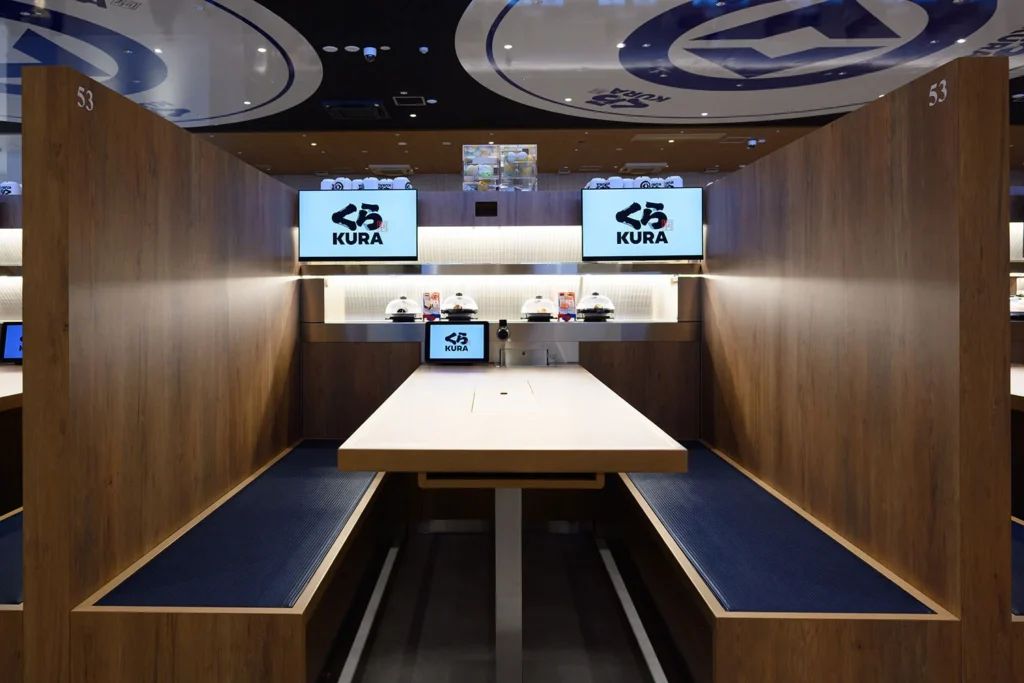
Kura Sushi: Centralized management of 595 signage units across 200 stores nationwide from headquarters
Centralized management of signage for nationwide stores from headquarters. Immediate updates of campaign information eliminate poster-posting work at individual stores and streamline operations.
For details, please click the case study page below.
Not limited to restaurant chains like Kura Sushi, there are effective ways to use it for every industry, such as supermarkets, drugstores, and apparel stores.
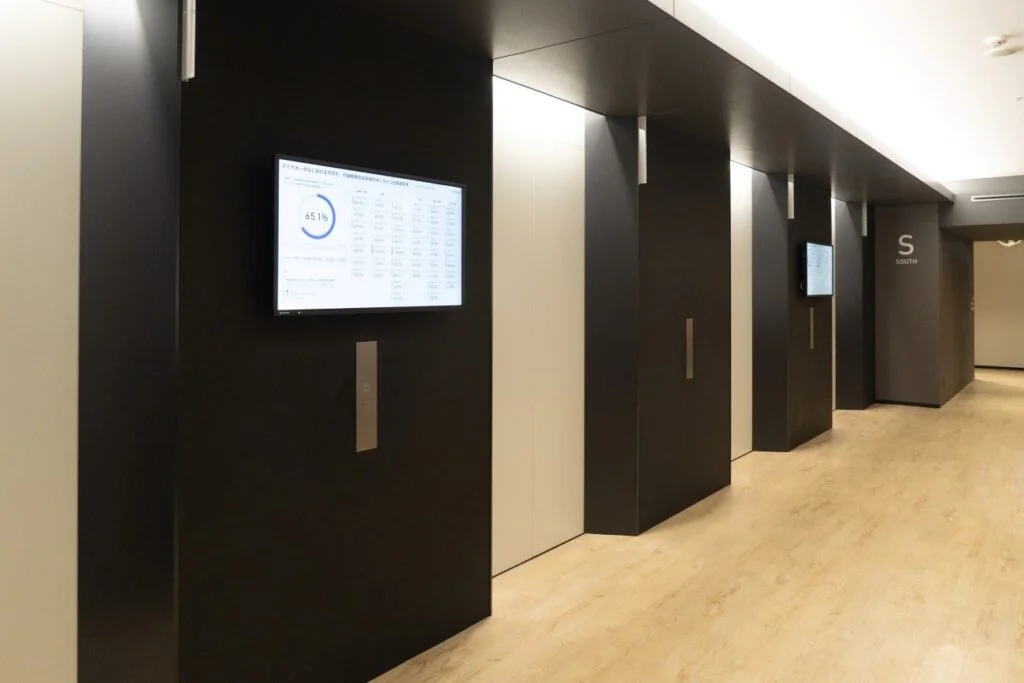
Digital Agency: Streamlining information sharing within the agency from offices to the Minister's office
Introduced Clomoni at the Digital Agency's main office. Project progress dashboards are managed in the cloud, reducing the effort required for equipment maintenance and update tasks. The installation has expanded from the elevator hall to the main offices and the Minister's office.
For details, please click the case study page below.
Like the Digital Agency, the use of signage for internal communication and information sharing in office back-of-house areas and break spaces is spreading.
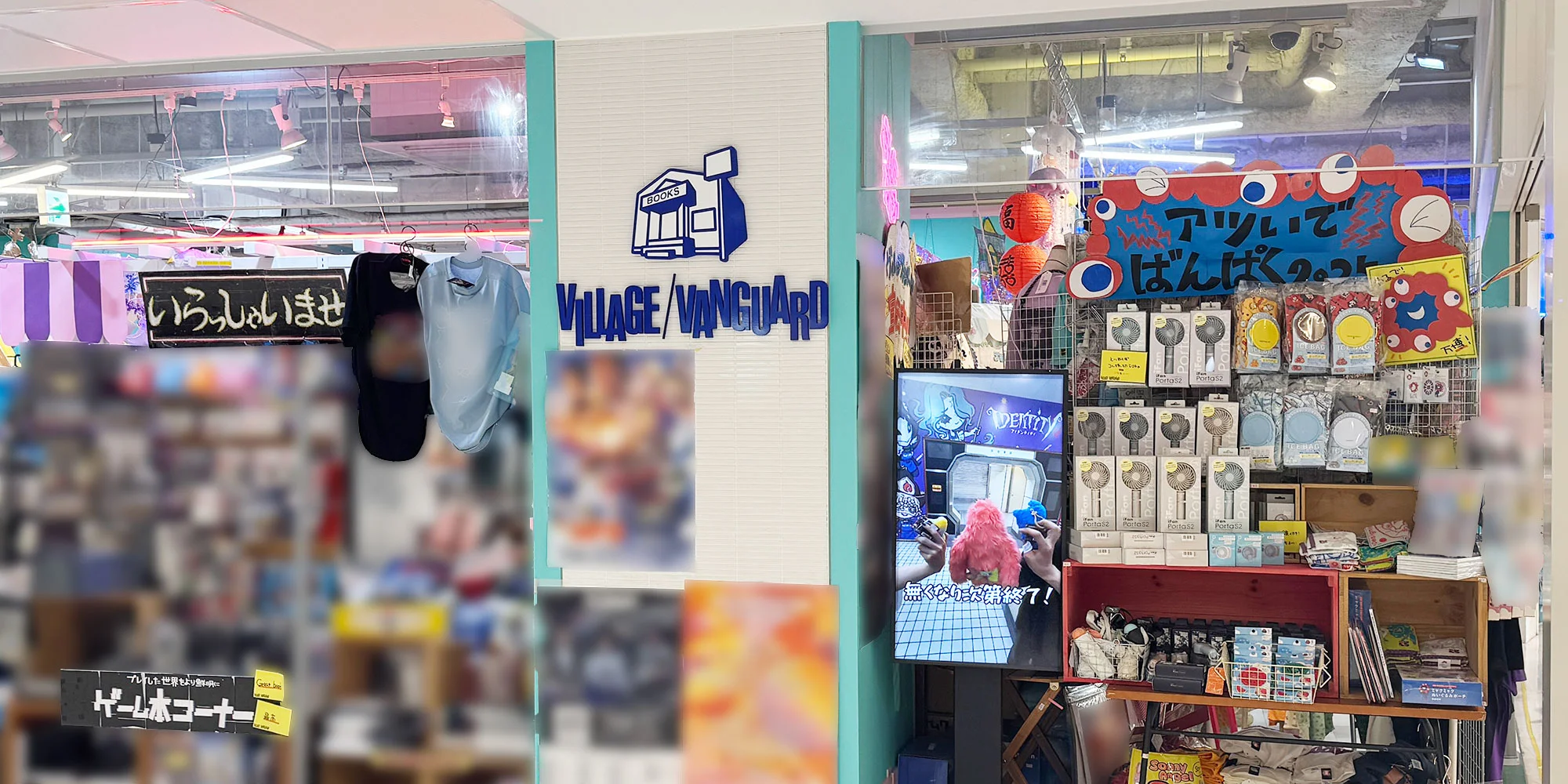
Village Vanguard Corporation: Real-time distribution of buzz videos to storefronts across 50 locations nationwide
Introduced in 50 stores, mainly flagship stores in major cities among approximately 300 stores nationwide. The distribution and management of video content produced by staff are centralized at headquarters, strengthening information dissemination at storefronts.
For details, please click the case study page below.
Digital signage costs are determined by a combination of "initial costs (equipment and installation)," "monthly costs (system, communication, and maintenance)," and "content production costs." Especially for companies expanding across multiple locations or stores/offices that want to update content frequently, choosing a "cloud-based type," even if it means paying monthly system usage fees, can reduce hidden costs such as mailing and labor, making it more cost-effective in the medium to long term.
"Clomoni," a cloud-based digital signage system provided by BEEATS CO.,LTD., offers optimal plans tailored to customer needs, from small-scale implementation for a single unit to large-scale deployment across hundreds of locations. If you have any questions, such as "I want to know the specific cost for my company" or "I want to review the costs of the signage we are currently using," please feel free to contact us.
FAQ. Frequently asked questions regarding digital signage costs and pricing market rates
Q. What is the market price for digital signage? A. Costs are composed of three elements: "Equipment (display, STB)," "content production," and "operation/maintenance/system usage." For small-scale setups reusing commercial monitors, initial costs start from tens of thousands of yen; for general indoor installations using professional displays, they start from over one hundred thousand yen; and for outdoor or large-scale ones, they range from several hundred thousand to several million yen. * Please refer to the body text for specific breakdowns and market prices.
Q. Which is cheaper, cloud-based or offline (standalone) type? A. It depends on the implementation conditions (number of units, number of locations, update frequency). If you only have one unit and rarely need to update content, the offline (standalone) type is cheaper. However, if you are expanding across multiple locations or need to change display content weekly, the cloud-based type is often more advantageous (cheaper) in the medium to long term as it significantly reduces operational costs such as personnel expenses and mailing costs.
Q. How much is the monthly cost for signage? A. In the case of the cloud type, license fees for the CMS (distribution management system) and cloud server usage fees are incurred every month. Although it varies depending on the number of units and functions used, generally, the market price is around several thousand to 10,000 yen per month per unit.