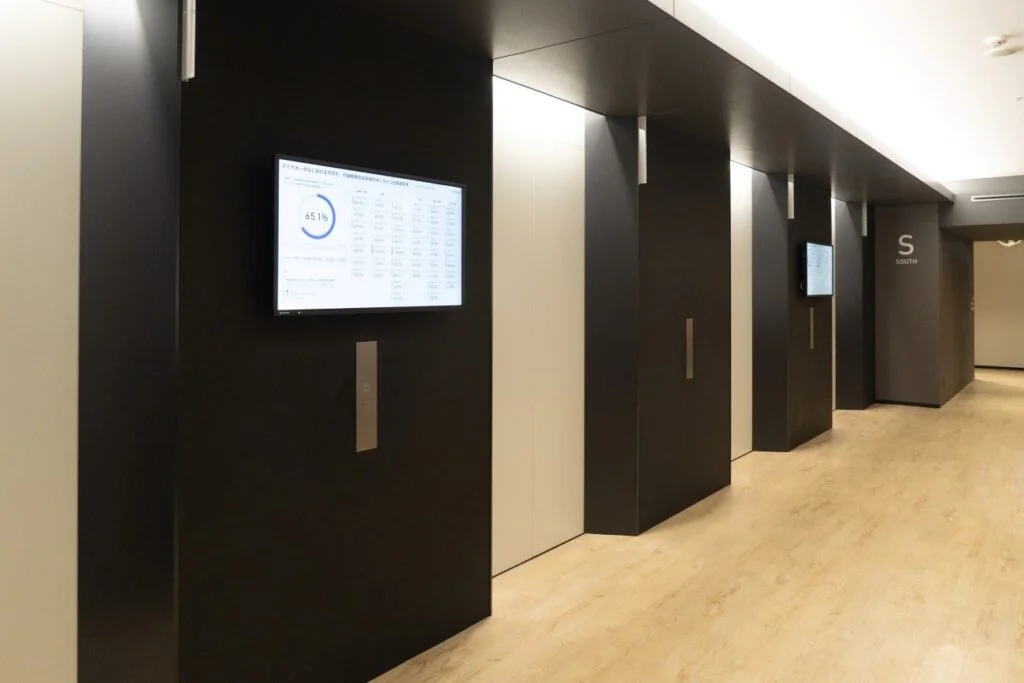
In front of train station gates, at supermarket sales floors, at exhibition booths—we have entered an era where "moving screens" are everywhere before we know it. These things you see in your daily life are digital signage. "I've heard of it, but can it really be used in my store or event?" "I don't know the cost-effectiveness"—there are many sales promoters and store operators who have such questions. In this article, we will thoroughly explain everything from the basic definition of digital signage to its mechanism, types, merits, and how to utilize it in the practical fields of retail, stores, and events.
We also introduce tips that lead to differentiation from competitors, so please read until the end.
Digital signage is a general term for systems that use electronic display devices such as displays and projectors to transmit video, image, and text information. It is also called an "electronic signboard" or "digital signboard."
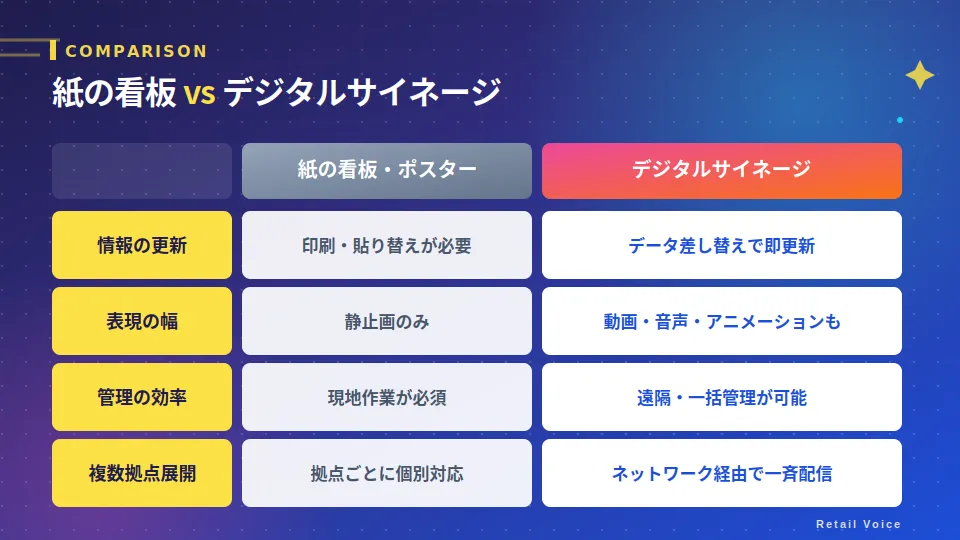
"Signage" is a word that means "signboard/marker" in English. Digital signage is a replacement of the roles traditionally played by paper signboards or printed posters with digital equipment.
In a word, "a signboard that moves, changes, and can be managed from afar."
These three are the decisive differences from paper signboards.
It used to be centered on large-scale facilities such as large commercial facilities, train stations, and airports, but due to the lower cost of equipment and the spread of cloud technology, it has now spread to any place regardless of scale, such as supermarkets, restaurants, commercial facilities, and offices.
Mechanism of digital signage | 3 basic constituent elements
Digital signage systems consist of three main elements.
Note that names of distribution methods such as "network type" and "cloud type" will appear in the following explanation, but their differences and features will be explained in detail in the second half of this article, "Types of Digital Signage." First, please check the roles of the basic equipment that constitutes signage.
① Display (display device)
The screen body that projects information. Liquid crystal displays, LED visions, projectors, etc., are used. You choose the size and shape according to the installation location and use.
② Playback terminal (STB/media player)
This is a device that receives content and displays it on the display. It is also called an "STB (Set-Top Box)." In the network type, this is the point of contact that connects to the server or cloud.
③ CMS (Content Management System)
This is software that manages what to show on which screen and when. In the cloud type, it can be operated from a PC browser, so you can control multiple displays in remote locations all at once.
With these three sets, a state where you can manage "from anywhere, immediately, multiple units" is realized.
Types of digital signage
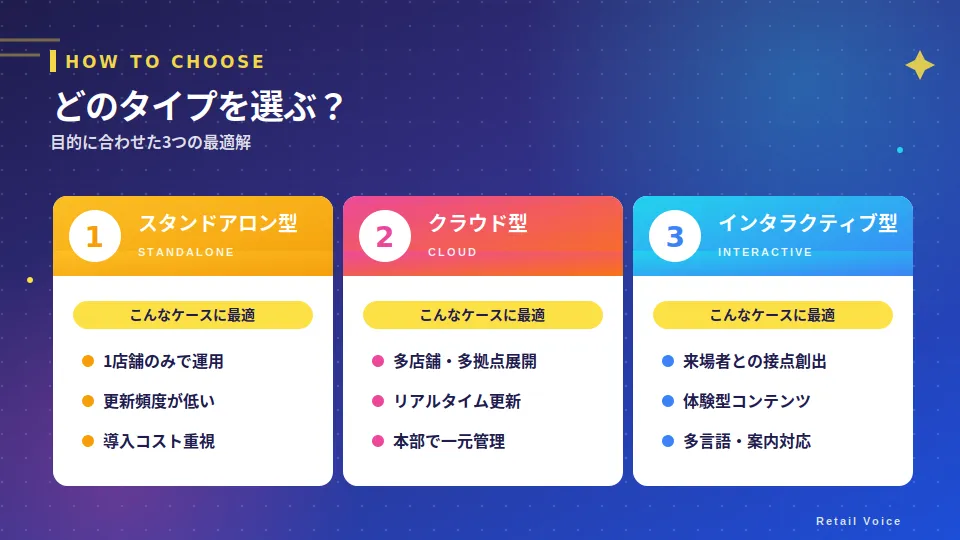
Digital signage is mainly divided into three types depending on the content distribution method. It is important to choose according to your company's scale, purpose, and operational structure.
Standalone type (Offline type) A type that saves content on a USB memory or SD card and inserts it into the display to play it.
・Merits: No network environment required, low introduction cost, low security risk ・Demerits: On-site work required for every content update, management of multiple units is complicated ・Suitable cases: Single store, small booth display, applications with low update frequency
Network type (Cloud type) A type that distributes content from a server (or cloud) via the Internet. This is the format currently seeing the most widespread adoption, and many cloud-type services are provided.
・Merits: Multiple units/locations can be managed remotely at once, timely updates are easy ・Demerits: Monthly usage fees occur, network environment is required ・Suitable cases: Multi-store development, commercial facilities, applications with frequent content updates
Interactive type (Touch panel type) Equipped with a touch panel or motion sensor, this is a type that allows users to operate the screen.
・Merits: Two-way communication is possible, strong for multilingual support ・Demerits: High introduction cost, maintenance required ・Suitable cases: Tourist information, commercial facility information, experiential exhibits for events
The correct answer is to decide the purpose first and then choose the type.
Merits and Demerits of Digital Signage
Merits
① High visibility, easy to catch the eye
Humans have a habit (inducibility) of "naturally looking at moving things or glowing things." Compared to static posters, digital signage that can play videos and visuals is easier to attract the gaze of passing customers, increasing the probability that information will reach them.
② Information can be updated in real time
Whether it's announcing flash sales, inventory status, or changes in event schedules, even in situations where paper signs would require printing and replacement, digital signage allows you to update and reflect information instantly just by updating the data.
③ Printing costs and work man-hours can be reduced
You eliminate the printing costs and replacement work that used to occur every time there was a seasonal menu change or campaign. In many cases, you can recover the initial investment over the long term.
④ Multiple locations/multiple units can be managed at once
With a cloud-based system, you can distribute and update information simultaneously from headquarters to signage in stores located anywhere in the country. It is particularly effective for promotional activities in large chains.
⑤ Spatial direction and brand image improvement
Videos that convey the sizzle of products, videos that express the worldview of the brand—digital signage functions not only as a tool for "conveying information" but also for increasing the value of the space itself.
Disadvantages
① Initial costs and running costs are incurred
Initial investment and continuous costs such as display body, playback terminal, installation work, and cloud usage fees will occur. Especially for outdoor installation, the cost tends to be high due to waterproof, dustproof, and high-brightness support.
② It is counterproductive if content quality and freshness cannot be maintained
Signage that has been left alone after installation may actually damage the brand image. Content design of "what, when, to whom to show" and a continuous operational system are essential.
③ Risk of internet environment and equipment trouble
Since the cloud type assumes a network connection, there is a risk that distribution will stop during communication failure. Confirmation of the backup system is also required before introduction.
Use Cases for Digital Signage
Digital signage is particularly effective in the fields of retail, stores, and events. We will introduce how it is used by industry, while mixing in actual cases of introduced companies.
All the case studies introduced are the introduction achievements of the cloud-type digital signage "Clomoni" provided by BEEATS. Clomoni is a service with a cumulative introduction record of 250 companies and more than 9,000 units, and is used in various fields such as supermarkets, restaurants, commercial facilities, and offices.
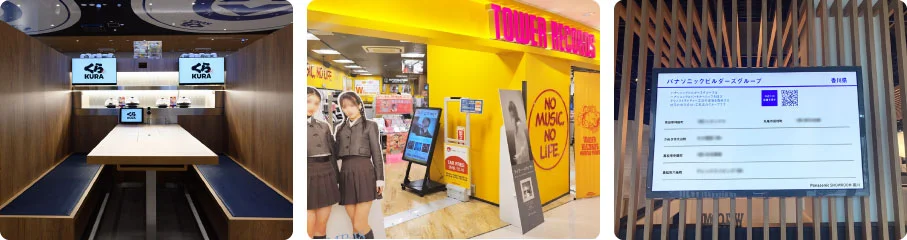
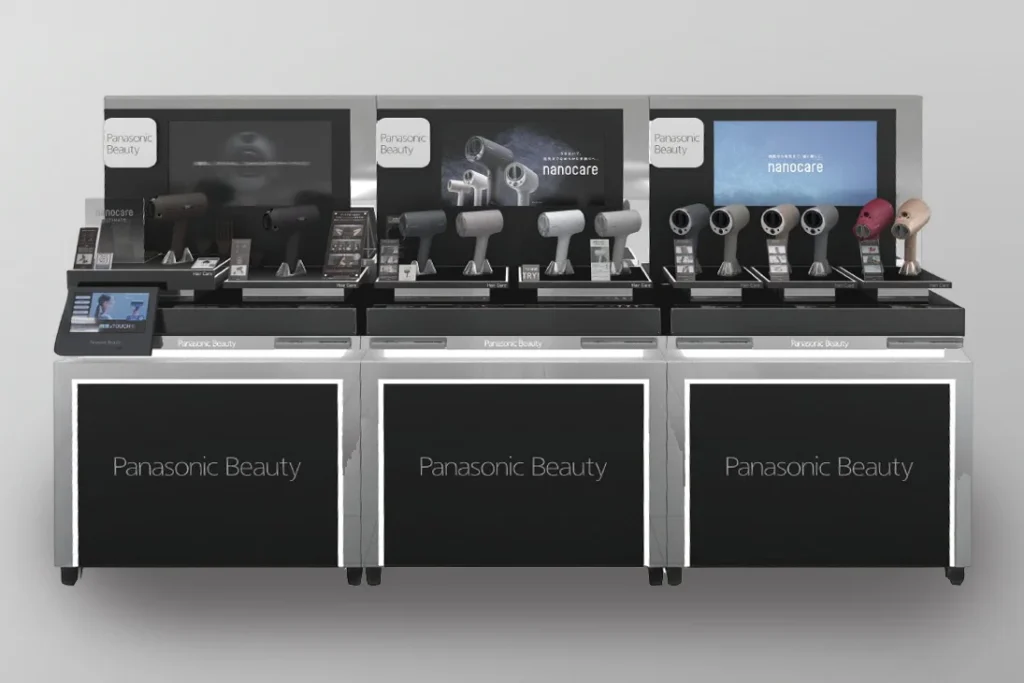
① Mass retailers/home appliance sales floors: Unified video appeal to sales outlets nationwide
For mass retailers handling home appliances and consumer goods, it is necessary to deploy promotional materials for stores nationwide every time a new product is released. By switching from content that was once distributed individually via DVDs or USB memory to cloud-based signage, a system can be realized that allows for simultaneous remote updates from headquarters.
Main usage methods
・Looping playback of product feature videos ・Integration of signage into end-cap store fixtures ・Distributing different content by product category and area ・Real-time switching of flash sales and new product information
Introduction case study using BEEATS's Clomoni: Panasonic Corporation
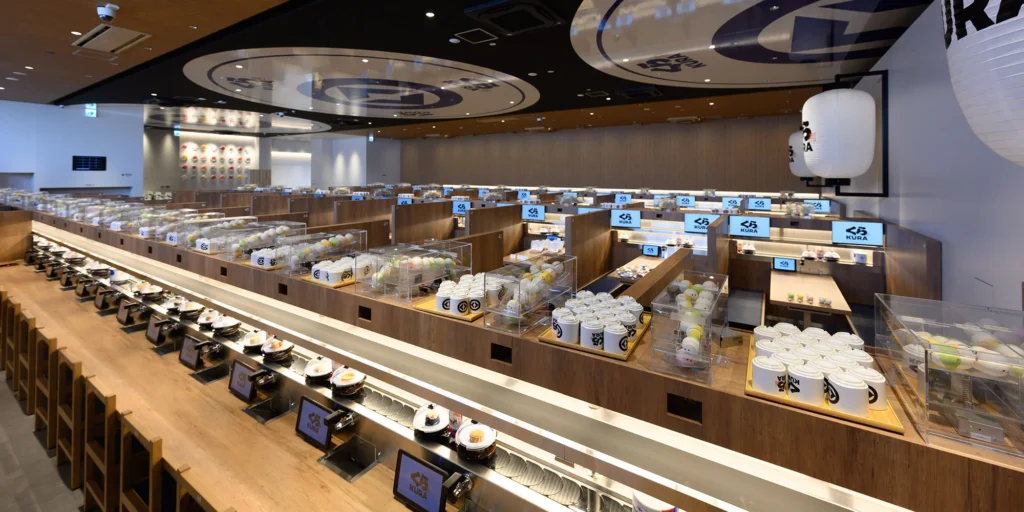
② Restaurant Chains/Leisure Facilities: Directing buzz and in-store experiences with visuals
In restaurants and leisure facilities, signage plays an active role not only in promoting menu information but also in creating a store's worldview and generating topics. It is possible to operate with the sense of speed unique to digital, such as playing buzz videos spread on social media in stores in real time or quickly switching limited-time campaigns.
Main usage methods
・Delivery of menu and promotion videos ・Real-time broadcasting of social media buzz content ・Immediate updates on event and campaign announcements ・Spatial direction with brand videos that enhance the store experience
Introduction case study using BEEATS's Clomoni: Kura Sushi, Inc.
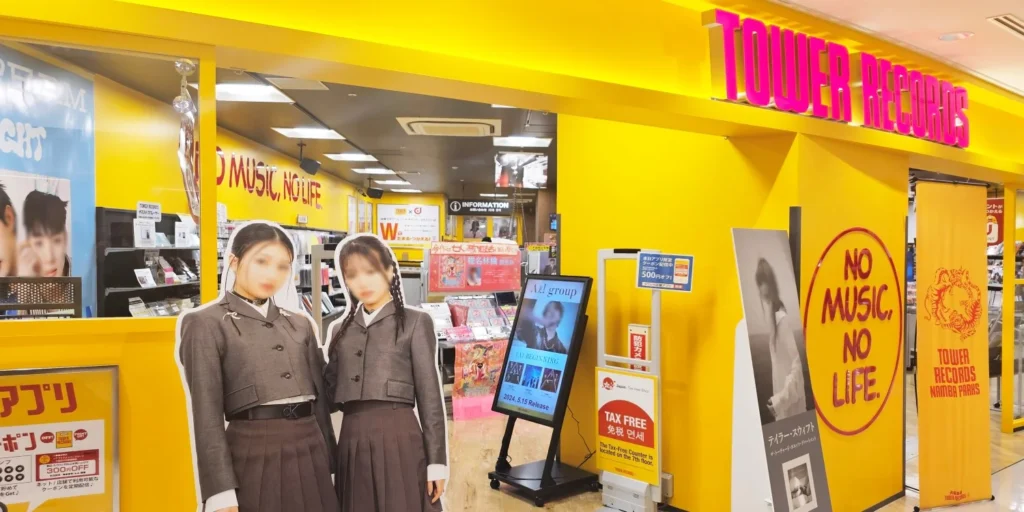
③ Music/Entertainment Retail: Unified management of 63 stores nationwide from headquarters
In entertainment retail, it is necessary to update content frequently according to artists or works. If you have multiple store locations, the ability to quickly align the display across all stores is the key to operational efficiency.
Main usage methods
・Real-time announcement of new album/new work release information ・Delivery of artist promotion videos ・Campaign deployment through simultaneous switching at all stores ・Combined use with local content for each store
Introduction case study using BEEATS's Clomoni: Tower Records Japan Inc.
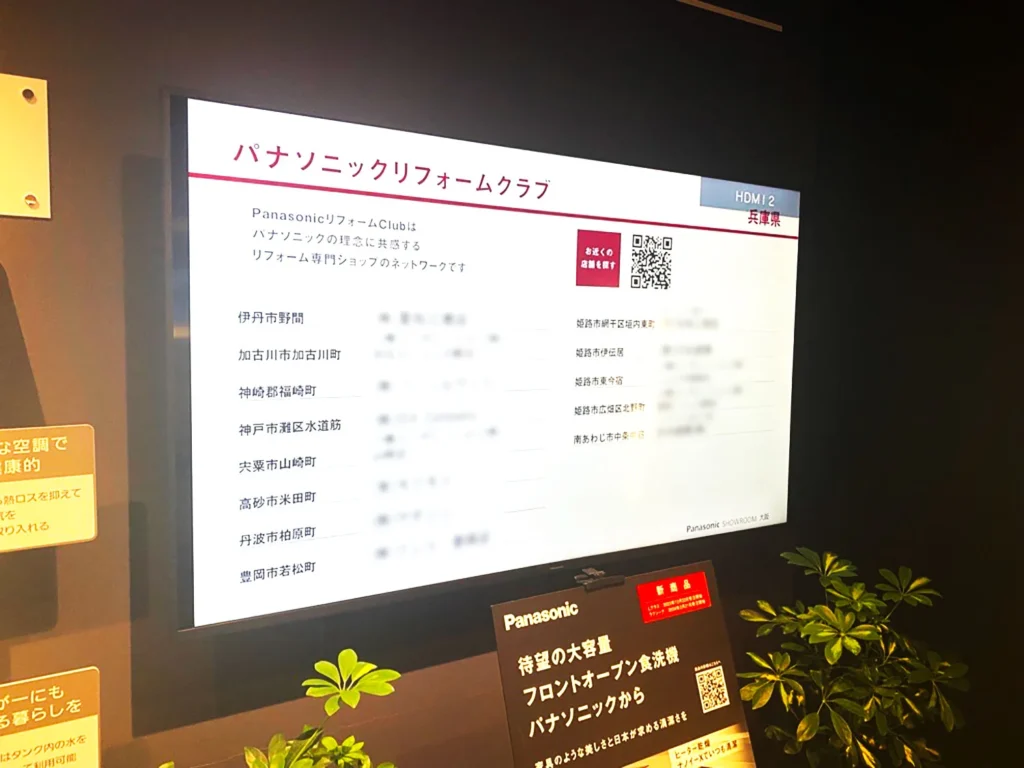
④ Commercial Facilities/Showrooms: Significantly reduce distribution man-hours for multiple locations
In showrooms and commercial facilities, the update frequency of exhibit content is high, and the burden on operational staff in charge of multiple locations tends to be an issue. By switching to cloud-type signage, you can establish a system to update distribution without visiting the site.
Main usage methods
・Management of product display videos within the showroom ・Content switching tailored to seasons and campaigns ・Centralized management of distribution to multiple locations nationwide from headquarters ・Display of floor maps and facility information
Introduction case study using BEEATS's Clomoni: Panasonic Housing Solutions Co., Ltd.
Digital signage is not just for customers. In organizations with multiple locations and many people, its installation is spreading in backyards and break spaces as a tool to reliably deliver information that is difficult to reach via email or paper to all staff.
Main usage methods
・Real-time posting of notices for the whole company/departments ・Dashboard display of KPI/progress information ・Sharing of shifts/business contacts in the backyard ・Video communication/training distribution from headquarters to staff at each location
Implementation case study using BEEATS's Clomoni: Digital Agency
Points to check before introducing digital signage
There are some things you should decide first when considering an introduction.
① Clarify the purpose
"Why are you installing it?" is the first question. Customer attraction, purchasing promotion, information transmission, spatial direction, internal sharing—the optimal type and content change depending on the purpose. If you introduce it without a clear purpose, it tends to become just "something with a video playing."
② Design the installation location and line of sight
The effectiveness changes significantly depending on where you place it. Is it installed in the flow of customer traffic? Is the eye level appropriate? How is the balance of placing multiple units? It is important to consider these factors in conjunction with the on-site traffic flow design.
③ Content operation system preparation
Signage is the real deal after it is installed. "Who makes the content?" "How often is it updated?" "What is the approval flow?"—along with hardware introduction, if you do not design a content operation system, it will lead to a situation where old information continues to play.
④ Grasping the cost feeling
The cost varies greatly depending on the installation environment, number of units, and service content. As a general guideline, in addition to initial costs including the display body, STB, and installation work, monthly usage fees occur for the cloud type. The cost per unit tends to decrease as the number of units increases. We recommend that you contact the service you are considering introducing and take an estimate.
Summary: To create a field that "conveys" with digital signage
Digital signage is not just a device to play videos. It is a sales promotion and communication tool that shows its effectiveness only when there is a content design of "when, where, to whom, and what to show" and an operational mechanism to support it. What is required in the fields of retail, restaurants, and commercial facilities is the mobility to quickly deliver the latest information and the operability to efficiently manage multiple locations. The strength of cloud-type digital signage is that it satisfies these two.
The cloud-based digital signage "Clomoni" provided by BEEATS is a service with a proven track record of adoption in various fields, such as supermarkets, restaurants, commercial facilities, and offices.
・Manage monitors for stores and facilities nationwide at once from your computer ・Supports real-time updates, time schedule settings, and group distribution by area ・Intuitive UI requires no specialized knowledge; operation is possible via drag-and-drop ・Scalability to meet on-site needs, such as 4K support, AI camera integration, and UGC Clomoni ・Track record of installation in a total of 250 companies and over 9,000 units (as of March 2026)
"I want to introduce digital signage, but I don't know where to start," "I want to streamline current operations," "I'm considering switching to a cloud type"—please consult BEEATS for such concerns.
Finally, we have summarized the frequently asked questions from those considering the introduction of digital signage.
Q. What is the difference between digital signage and a regular TV/monitor? A. The main differences from typical TVs or monitors are the three points of "image quality stability," "installation flexibility," and "management functions." Many digital signage models support automatic brightness adjustment based on ambient light, vertical/horizontal installation, and remote management, and they are designed assuming long-term, continuous operation.
Q. Can I introduce it from 1 unit? A. Yes, it is possible. If it is a standalone type, you can easily start from 1 unit. Even with the cloud type, you can start from a small scale and expand the number of units. Clomoni also supports trial introduction.
Q. Do I have to make the content in-house? A. In-house production also leads to cost reduction, but if you value quality, requesting a professional production company is also an option.
Q. Can it be installed outdoors? A. Yes, it can. However, for outdoor use, dedicated equipment that supports waterproof, dustproof, and high brightness (visibility even under direct sunlight) is required, and the cost tends to be higher than for indoor use.
Q. How much does it cost? A. It varies greatly depending on the installation environment, number of units, and the service chosen. The basic cost structure is initial costs (display, STB, installation work) plus a monthly cloud usage fee. Clomoni uses a pricing structure that is affordable and easy to use, so please contact us for details.
Q. How much effort does content update take after introduction? A. If it is a cloud type, you can update and distribute content with drag-and-drop operations on a browser. Since automatic switching is also possible with schedule settings, you can significantly reduce the operational burden. Clomoni is designed to be operated by on-site staff without specialized knowledge.
Q. Can I install it in a place without a Wi-Fi environment? A. Yes. Clomoni's STB supports SIM communication in addition to Wi-Fi. It can be flexibly installed even in places where setting up a Wi-Fi environment is difficult, such as at store entrances or outdoors.