When trying to install digital signage, one of the necessary pieces of equipment is an "STB (set-top box)."
There are cases where an STB is unnecessary, but
・I want to stop the hassle of switching content with USB or SD cards one by one! ・I want to operate it as cloud signage! If this sounds like you, using an STB is recommended.
To those who feel that operations requiring USB swapping or on-site support are reaching their limit. For those who want to switch content more smoothly and manage distant locations together, "cloud signage using an STB" answers these calls. However, many people ask, "What is an STB?" or "There are so many types, I can't choose..." In this article, we will explain in an easy-to-understand way what an STB is, how to choose one, and why "Clomoni," which allows you to easily start digital signage, is supported.
You want to switch content remotely for everyone, but you're still swapping out USB drives. That's where an "STB (set-top box)" comes in to solve these everyday on-site frustrations.
An STB is a playback device used to display content such as videos and still images on a display. To put it simply, it is like a "mini PC dedicated to signage." If your display is equipped with playback functions, you can display content standalone by inserting a USB drive or SD card. However, if you want to display new content, you have to go to the site every time, and it can be quite inconvenient when you want to manage multiple locations at once. This is where signage managed online (via cloud) using an STB (referred to as a network type, as opposed to standalone) comes in handy. So-called "cloud-based digital signage" allows you to distribute content simultaneously and set time schedules even from a remote location.
However, cloud distribution is not completed with an STB alone. In actual operation, a "distribution management system (CMS)" is required to manage and distribute content in cooperation with the STB. We recommend comparing the ease of distribution and usability along with the STB itself.
* Even with network-type signage, an STB may not be required in some cases.
STB types and selection points
STBs are roughly divided into two types: "box type" and "stick type."
The box type is highly durable, but requires a certain amount of installation space.
The stick type can be inserted directly into digital signage like a USB memory stick and is compact, making it easy to install even in places without space, but it is generally said that its durability is inferior to the box type.
It is first important to choose which of the two types to use based on the digital signage installation environment.
Furthermore, there are four points you want to keep in mind when choosing an STB.
POINT 1: Communication method (Wi-Fi, wired, SIM support, etc.) POINT 2: Ease of operation (simplicity of content distribution operations) POINT 3: System stability and support structure POINT 4: Cost
As an STB and signage system that satisfies these in a well-balanced manner, "Clomoni STB" is supported by many companies.
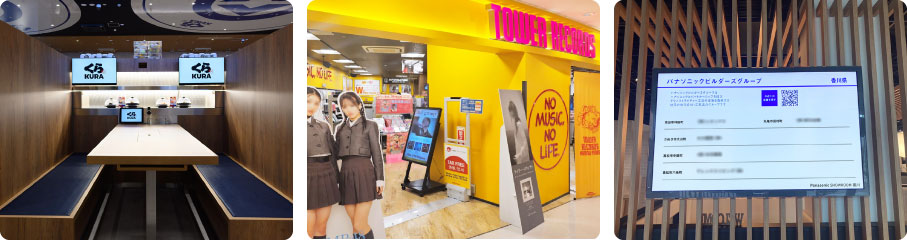
"Clomoni" is used by many companies in various locations, including restaurants, commercial facilities, schools, and offices, regardless of whether they are indoors or outdoors. As of March 2025, there is a track record of approximately 200 companies and 8,500 units introduced.
We will introduce the reasons why "Clomoni" is supported among many STBs and cloud signage systems, based on the four points mentioned earlier.
Reason 1
Supports Wi-Fi and even SIM communication*!
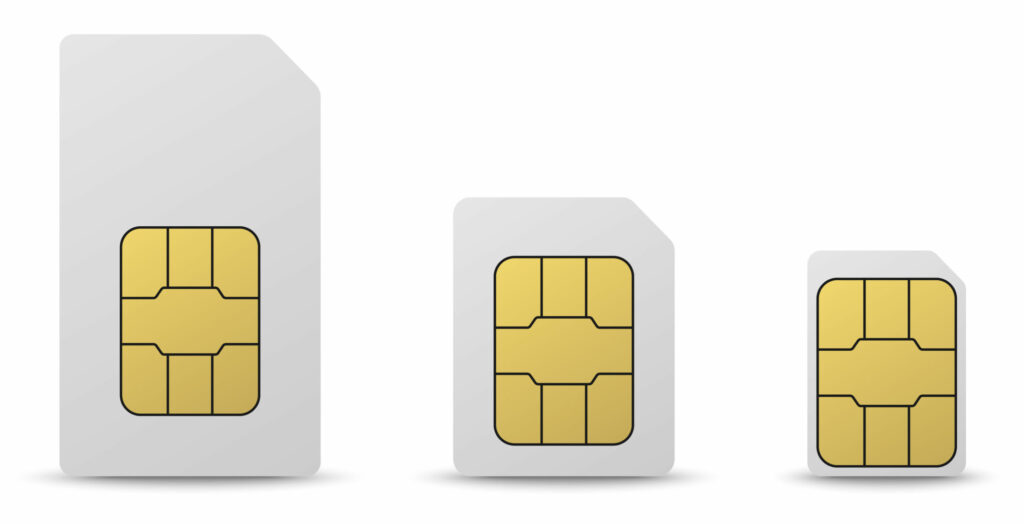
"Clomoni" STBs support not only Wi-Fi communication but also SIM communication, just like smartphones.
You can rest assured even at sites where there is no Wi-Fi environment where you want to install signage, or where it is difficult to set one up. Because it supports SIM communication, flexible signage installation is possible even in locations where building a communication environment is difficult, such as at store entrances or outdoors.
*Communication fees will be incurred if you wish to use the SIM communication type. Please contact us for details.
Reason 2
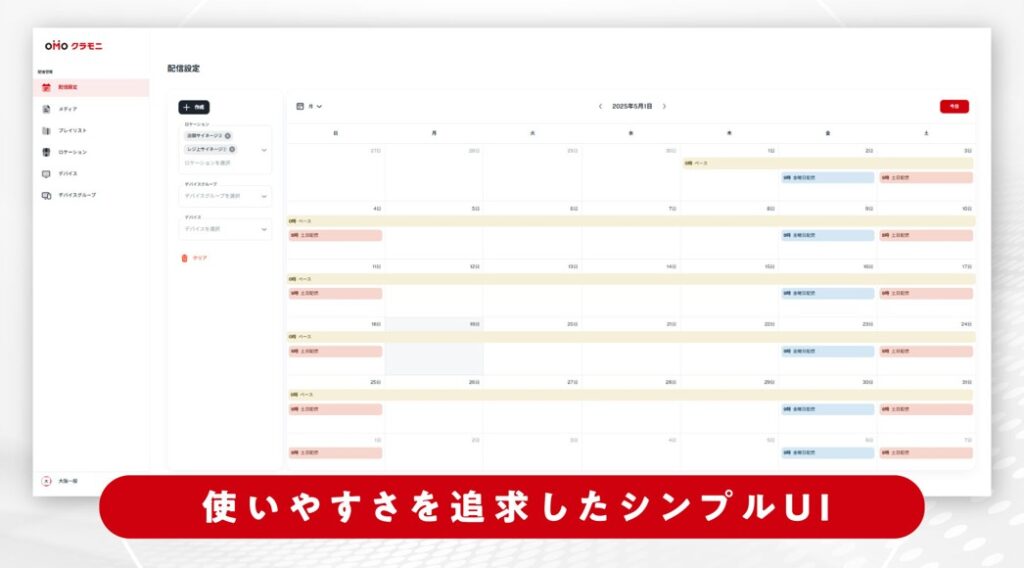
Intuitive distribution management with an easy-to-use operation screen
Clomoni's management screen has a UI design that is easy to use even for beginners. You can easily set up content distribution with drag-and-drop, and it is equipped with a wealth of convenient features such as playlist creation, playback time scheduling, and grouping functions for each store.
Reason 3
Peace of mind with warranty and support!
The STB comes with a six-month equipment warranty after delivery. In addition to replacement support in case of failure, we also provide careful support regarding settings and usage.
Reason 4
Cost
Clomoni keeps running costs low after initial implementation, enabling cost-effective signage operation. The pricing structure is designed to handle operation across multiple locations and multiple units without strain, and it is rated as easy to continue operating. Please feel free to contact us regarding specific usage fees.
About signage displays you should consider along with an STB
When using an STB, choosing the right display is also important. Whether you want to "continue using the display you have now" or "take this opportunity to buy a new display," Clomoni provides flexible support.
◆ If the existing display has an HDMI terminal, it can be connected and operated as is※. ◆ It can be used just by connecting it via HDMI, and initial setup is completed in as little as 5 minutes. You can easily transition to cloud signage while making the most of your existing display. ◆ If you need to arrange a new display, we can also help with selecting, arranging, and installing models according to your installation environment and purpose.
One of Clomoni's strengths is that you can consult with us about not only the STB and system but also the arrangement of peripheral equipment and installation work.
※Clomoni STB does not guarantee operation on all monitors. Please verify before ordering. Please consult with our sales department regarding the lending of STBs for verification purposes.
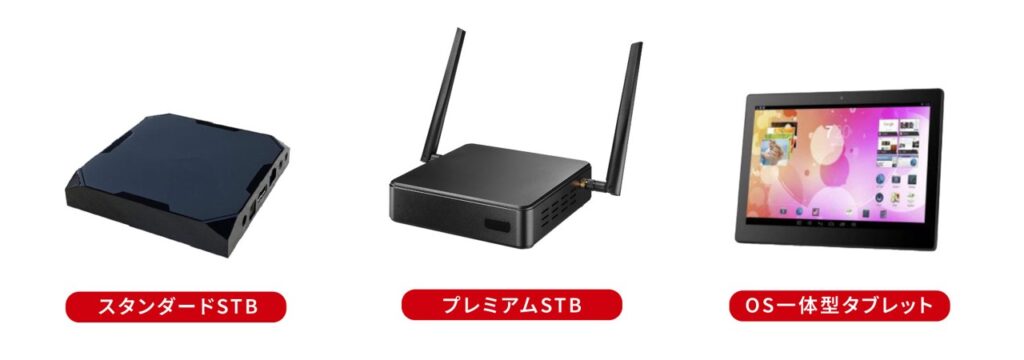
We have been introducing cloud signage that utilizes STBs, but there are actually devices that can perform cloud distribution without an STB. For example, a tablet terminal where the OS and signage system are integrated. Since the monitor itself has built-in playback functionality, cloud-based operation is possible even without an STB. It is particularly popular in small stores and places with limited space because it requires less installation effort and keeps wiring neat.
Clomoni also offers such "STB-free" OS-integrated tablet models. If you "don't have space to install an STB" or "want to start more simply," please check out our lineup of tablet types.
To smoothly introduce cloud-based signage, preliminary verification is very important. We have summarized the points you should check during the consideration stage.
◆Is there an internet environment at the installation location? Let's confirm whether Wi-Fi can be used, if a wired connection is required, or if SIM support is needed.
◆Does the monitor in use have an HDMI terminal? To make the most of your existing display, it is safer to check in advance whether it can be connected to an STB.
◆Where, for whom, and what do you want to display? Clarifying the content and timing will lead to smooth operation.
◆Who is responsible for distribution operations? It is important to check the ease of use of the UI while considering the IT skills and working time of the person who will actually perform management and updates.
◆Have you decided on the frequency and method of content updates? If you update frequently, the ease of cloud distribution and the robustness of playlist management functions are key.
◆Is the purpose of signage installation clear? Depending on the purpose, such as raising awareness, guidance, or promotion, the optimal operation design and distribution content will change.
Summary | Confused about STB/cloud signage? We recommend "Clomoni"
Did the reasons why "Clomoni" is chosen by customers come across?
"Clomoni" is an option that combines reliability, operability, flexibility, and support for those considering the introduction of digital signage using an STB. If you want to introduce cloud signage but don't know which STB to choose or which software to use, please take a look at the introduction case studies and feature details of "Clomoni" first.
A1. An STB (set-top box) is a playback device used to display content such as videos and still images on a display. It acts like a mini PC dedicated to signage, and by linking with a distribution management system, it enables remote content distribution and centralized management of multiple locations.
Q2. What are the STB types and points for selection?
A2. There are two types of STBs: the highly durable "box type" and the compact "stick type." It is important to choose a type that suits your installation environment and compare the four points: communication method, ease of operation, system stability/support structure, and cost.
Q3. Why is the "Clomoni" STB chosen?
A3. There are four reasons why Clomoni's STB is chosen. It supports not only Wi-Fi but also SIM communication, has an intuitive management screen, comes with a six-month equipment warranty and careful support, and provides excellent cost performance that makes it easy to continue even with multiple locations.
Q4. Is it possible to perform cloud distribution without using an STB?
A4. Yes, it is possible. If you use a tablet terminal with built-in playback functions and an integrated OS and signage system, you can perform cloud operations without an STB. Since there is less installation effort and no wiring, it is ideal for small stores and places with limited space.