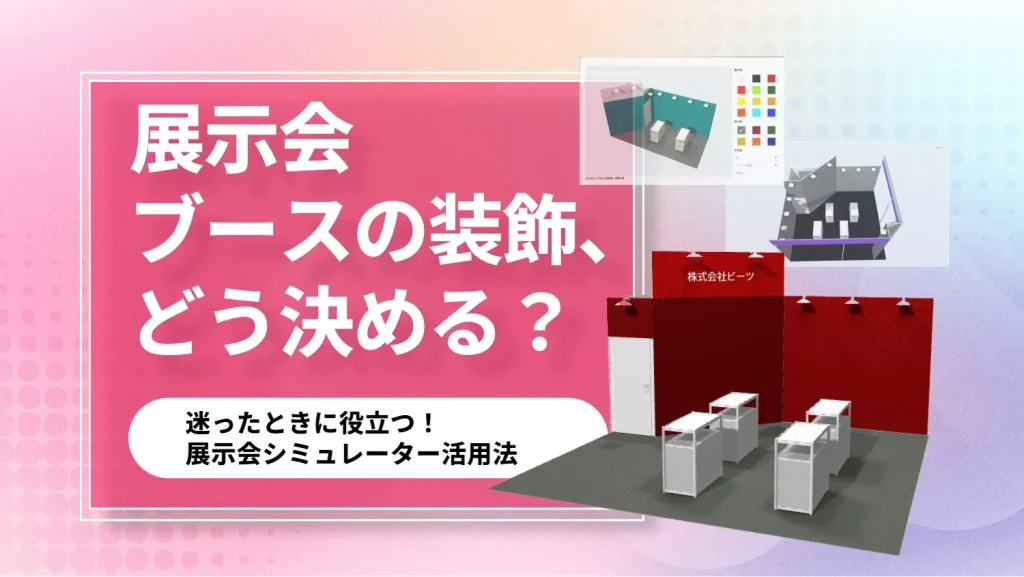
When you are in charge of an exhibition booth, the first thing many people struggle with is "How to decide on the booth decoration," isn't it? If you make it flashy, it will stand out, but you are concerned about the balance with costs, and it is difficult to explain it to the company without grasping the image... Such confusion is a worry that many managers have experienced.
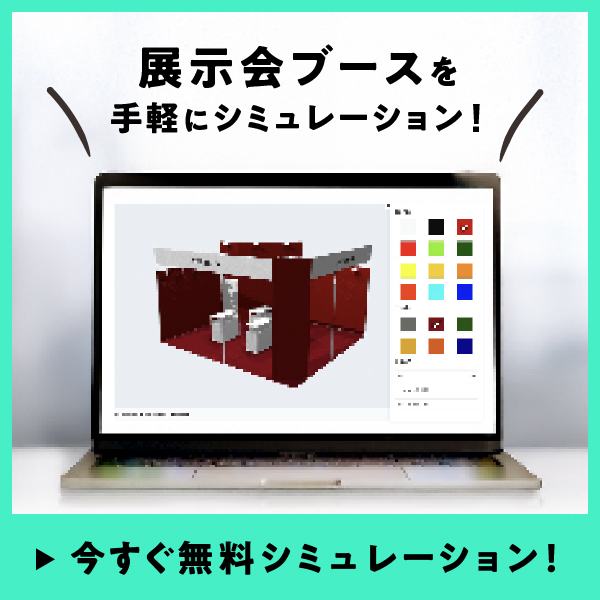
The "Exhibition Simulator" is useful for this. Just by entering the size and booth type, you can check the finished image and estimated cost, making it the perfect tool for grasping the direction of your decoration! In this article, we will clearly explain how to specifically use the "Exhibition Simulator" so that even those who are not used to exhibiting can use it smoothly. ※ The Exhibition Booth Simulator introduced in this article is available in Japanese only, and access from outside Japan may be restricted. For inquiries regarding booth cost estimates, please contact us directly.
Reasons why exhibition booth decoration is important
When exhibiting at an exhibition, the type of booth decoration you choose is directly linked to the visitor's impression. The booth decoration is what triggers the thought, "Let's drop by." So, why are decorations important?
Reason 1
Get them to stop by with a first impression
Numerous companies will be lined up at the exhibition hall. To get visitors to look at your company among them, decorations that leave an impression at a glance are essential. Making them feel "interested" at first glance leads to the next conversation.
Reason 2
Convey your company or brand's world view
The booth is not just an exhibition space, but a place where you can express your company's world view. Through creative use of colors and design, it becomes a catalyst for visitors to feel, "This company seems like a good fit for us."
Reason 3
Effectively utilize limited space
You cannot always ensure enough space at an exhibition. Even so, depending on how you decorate, you can make it easier to attract attention and streamline traffic flow. It is the power of decoration that allows you to effectively promote yourself even in a small space.
A single creative touch in decoration changes the impression conveyed to visitors significantly. That is precisely why it is important to imagine "what kind of booth to make" early on. However, it is difficult to think about it only in your head. A tool that allows you to simulate a booth is useful in such times.
What is the "Exhibition Simulator" that helps with booth decoration planning?
The "Exhibition Simulator" is a convenient tool that supports the creation of booth decoration images. It is provided by BEEATS CO.,LTD., and you can check the finished image and cost estimate just by entering the conditions. A major feature is that even those in charge of an exhibition for the first time can proceed with their considerations with peace of mind.
◆◆◆What you can do with the "Exhibition Simulator"
◆ Automatically generate the finished image of the booth by entering conditions By entering conditions such as size, the number of sides facing the aisle, and the booth type, the finished image will be displayed immediately. You can visually confirm "how large it will be and what it will look like," making it easier to visualize the concept.
◆Customize by reflecting floor/wall colors and company name The completed image can be customized for your company. By changing the floor or wall colors and reflecting your company or service name, you can confirm a more realistic booth design. The key is that you can consider it while imagining the actual exhibition.
◆ Check the estimated cost on the spot When you enter the conditions, the estimated cost is displayed at the same time. This allows you to immediately grasp "how much the cost will be for this booth decoration," which is also useful when sharing internally or during budget approval.
Now, let's look at how to actually use it, step by step.
Let's simulate your exhibition booth decoration!
STEP 1
Select size, number of sides facing the aisle, and type
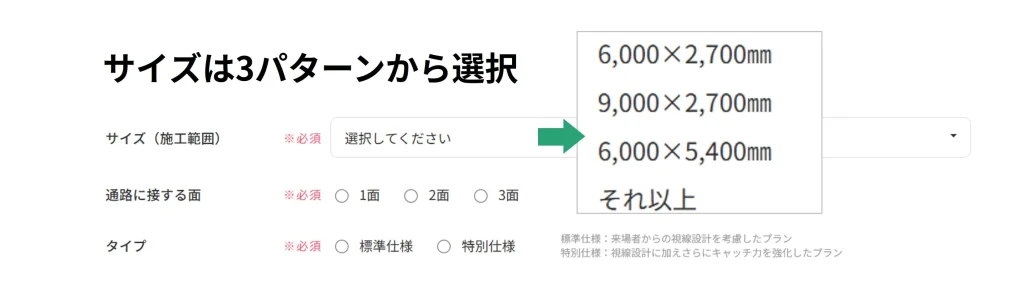
First, enter the size of the booth you plan to exhibit at and the number of sides facing the aisle. This determines the base layout.
Input Screen (Size, Sides facing the aisle, Type)
STEP 2
Select booth type
In the exhibition simulator, you can choose from two types of booths. ① Standard specifications: A plan that considers line-of-sight design from visitors ② Special specifications: A plan that adds further catch-ability in addition to line-of-sight design
Since you can choose according to your exhibition purpose and budget, it becomes easier to decide the direction of your project.
STEP 3
Fill out the form and send it
Enter the required information (company name, contact person, contact details, etc.) and click "Send" to start the simulation. Since it also functions as an inquiry form, the information entered here can be used directly for estimates and inquiries.
Enter the required information and click send to start the simulation
STEP 4
Check the simulation results and customize
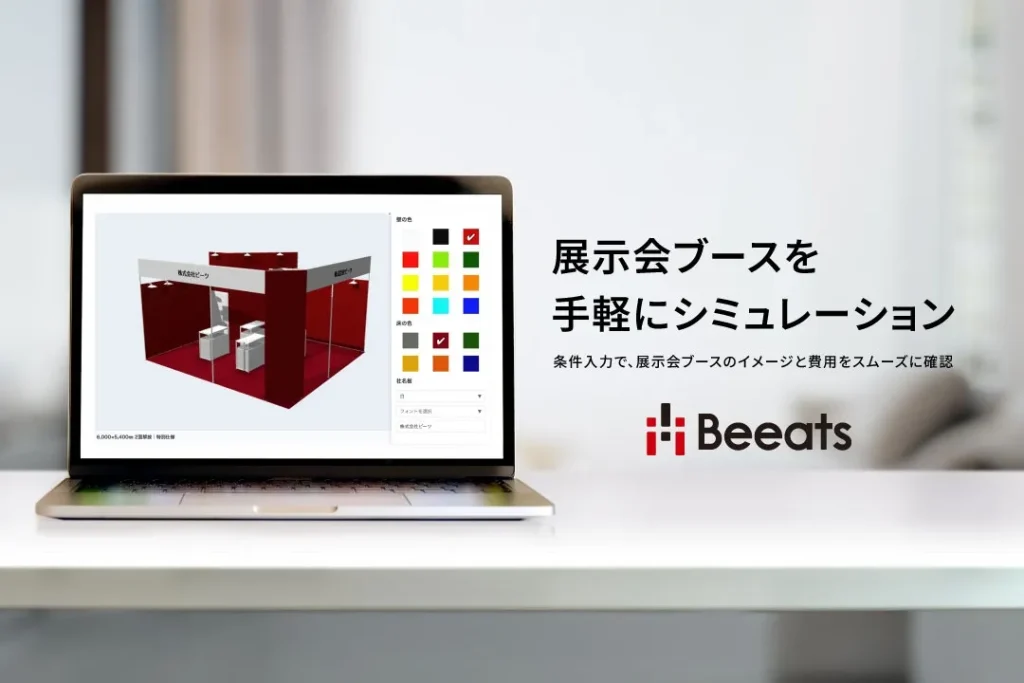
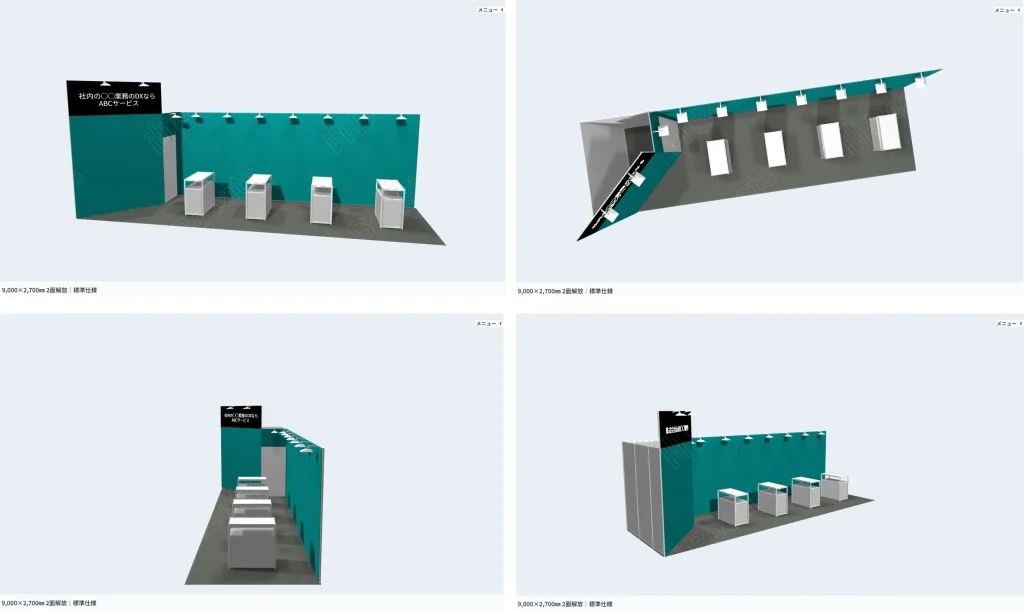
Immediately after sending, the simulated booth image is displayed. From here, you can customize it, such as changing the color of the floor and walls, or adding a company name. You can consider various patterns while imagining the actual exhibition booth decoration.
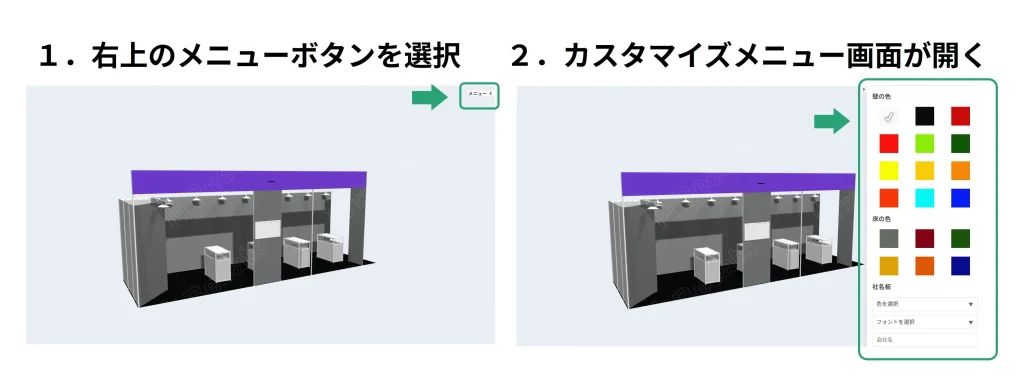
4-1. How to open the menu screen
Select the button on the top right of the displayed screen to open the customization menu screen
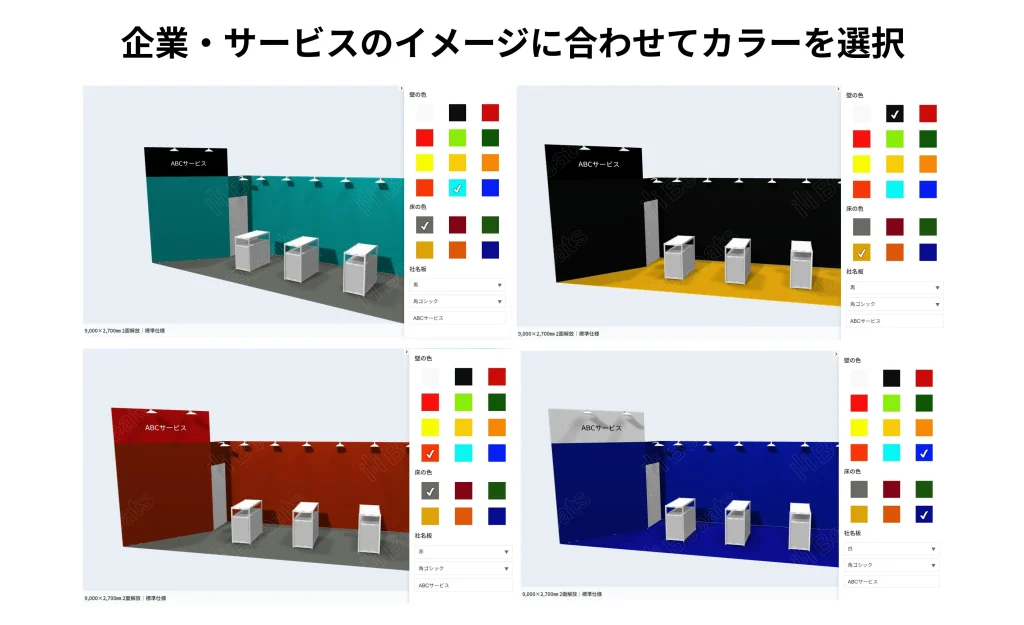
4-2. Customize wall/floor colors
Walls: Can choose from 12 colors Floor: Can choose from 6 colors Just by choosing from the color palette, the atmosphere of the entire booth will change.
By making use of your corporate or service brand colors, it becomes easier to impress visitors with "which company this is."
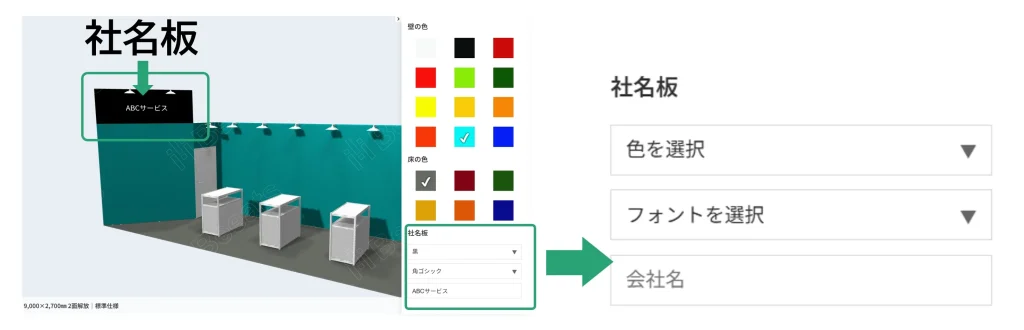
4-3. Edit the name plate
In the simulator, you can enter free text for the company name plate. Color: Choose from 13 colors Font: Choose from 2 types of fonts Text: You can freely enter company names, service names, catchphrases, etc.
The company name plate supports 13 colors and 2 fonts. The text color is automatically reflected to match the plate color.
STEP 5
Check the finished booth image in 3D
The completed booth can be rotated 360 degrees and zoomed in or out on the screen using mouse operations. You can freely check it not only from the front, but also from the sides, back, at an angle, and even from an overhead perspective, allowing you to confirm not only the visitor's line of sight but also the overall balance.
The booth image is displayed in 3D and can be operated with a mouse. You can change the angle and check it from the visitor's perspective.
◆ Points to check on the finished image
・Checking what it looks like from the main traffic line of the venue helps you get closer to the visitor's perspective. ・Zoom in to check details, and zoom out to see the overall balance. ・For internal sharing, it is convenient to download images from multiple angles.
STEP 6
Check Estimated Costs
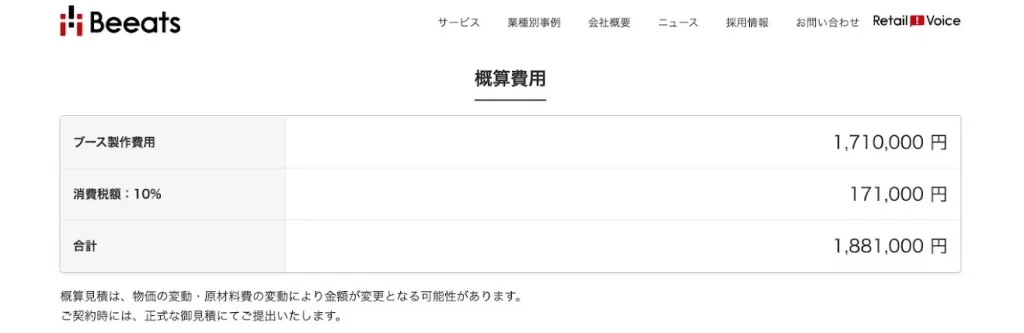
Once the simulation is complete, the estimated cost of the booth decoration will be automatically displayed based on the criteria you entered. Since you can check the estimated cost along with the design, this significantly increases the accuracy of your planning.
You can check the estimated cost based on conditions on the spot
Looking at the process so far, you may have thought, "I think I can do this myself." By simply selecting the number of booths and booth type and entering the conditions, you can immediately see the basic layout and cost estimate. Why not try it out first and take the first step toward considering your exhibition booth decoration!
1. When you have little experience in exhibiting and want to get an initial image When you are in charge of an exhibition for the first time, it is difficult to imagine "what kind of booth decoration should I have?" By using the simulator, you can get a layout displayed just by entering the conditions, so you can grasp a base idea for the project.
2. When you want to share the finished image internally It is difficult to explain ideas for exhibition booth decoration using only verbal explanations or documents. If you show the image created with the simulator, internal meetings and approval processes will proceed smoothly.
3. When you want to get a sense of costs in the early stages of preparation The strength of the simulator is that you can roughly grasp "how much it will cost to exhibit on this scale." You can use it as a reference before requesting a quote.
4. When you want to compare multiple plans by changing conditions By running simulations with different booth sizes, types, and decoration specifications, you can compare different patterns side by side. The cost is updated every time you change the conditions, making it easier to find a layout that fits your budget.
Summary | Considering exhibition booth decoration starts with simulation
There are many things to get lost in when you start thinking about exhibition booth decorations. However, with the simulator, you can try out layouts and colors while changing conditions, and confirm cost estimates at the same time.
If you proceed while following the usage instructions introduced in this article, even first-timers in charge can operate it with confidence. Please try simulating it for yourself and make your exhibition preparation much smoother!
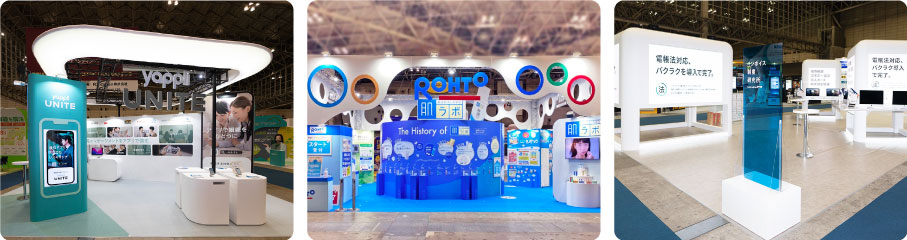
If you want to see more specific booth decoration examples, please also check out the BEEATS case studies page. It contains a wealth of exhibition booth construction examples and design patterns, which will be useful for finding your next idea.
A1. Because booth decoration is directly linked to the first impression of visitors and is the trigger for getting them to stop by. Also, it allows you to visually convey your company's world view, and enables effective appeals, such as making it easier to attract attention even in a limited space.
Q2. What is the exhibition simulator?
A2. It is a tool provided by BEEATS CO.,LTD. that supports the creation of exhibition booth decoration ideas. By simply entering conditions such as booth size and booth type, you can easily check the 3D final image and estimated cost on the spot.
Q3. What kind of customization can I do in the exhibition simulator?
A3. Besides choosing the color of the booth's floor and walls from the color palette, you can freely enter your company or service name on the name plate, and change the color and font. The completed image can be checked in 3D by rotating it 360 degrees, or zooming in and out.
Q4. When should I use the Exhibition Simulator?
A4. It is recommended when you have little experience exhibiting and cannot visualize the final result, or when you want to share a concrete image and estimated cost for internal meetings or approval. It is also useful when you want to compare and consider multiple layout plans and cost estimates while changing conditions.